Agent Conversation Folders and Shared Conversations
This update adds agent conversation folders and a shared conversation space.
You can create folders by work unit to organize your conversations, and place the conversations you need in a shared space any member of your organization can open and view.
Why we need this
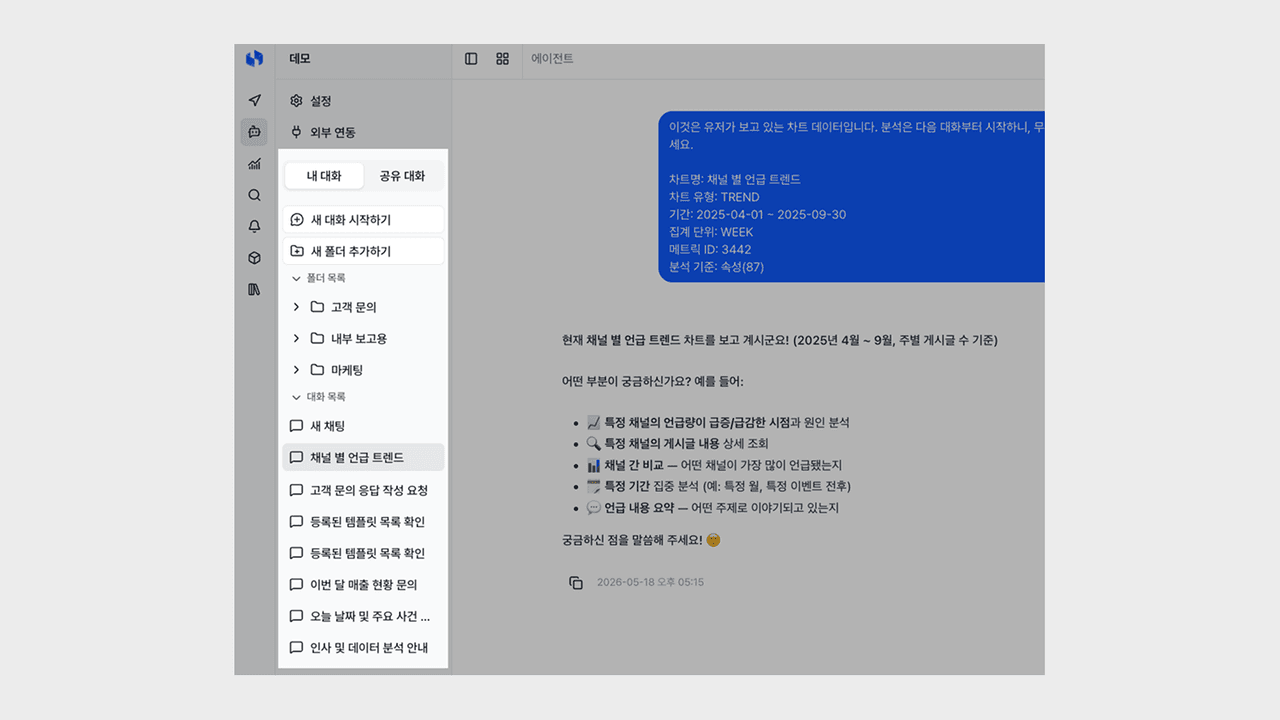
As your conversations with the agent grow, a chronological list alone makes it hard to find the conversation you want again. When conversations on similar topics are scattered, it is also hard to gather the same context in one place, and you end up scanning titles one by one or starting yet another new conversation just to ask for a previous result again.
This update closes that gap so you can organize conversations into folders by work unit and view the conversations you need together with your organization.
Organizing with folders
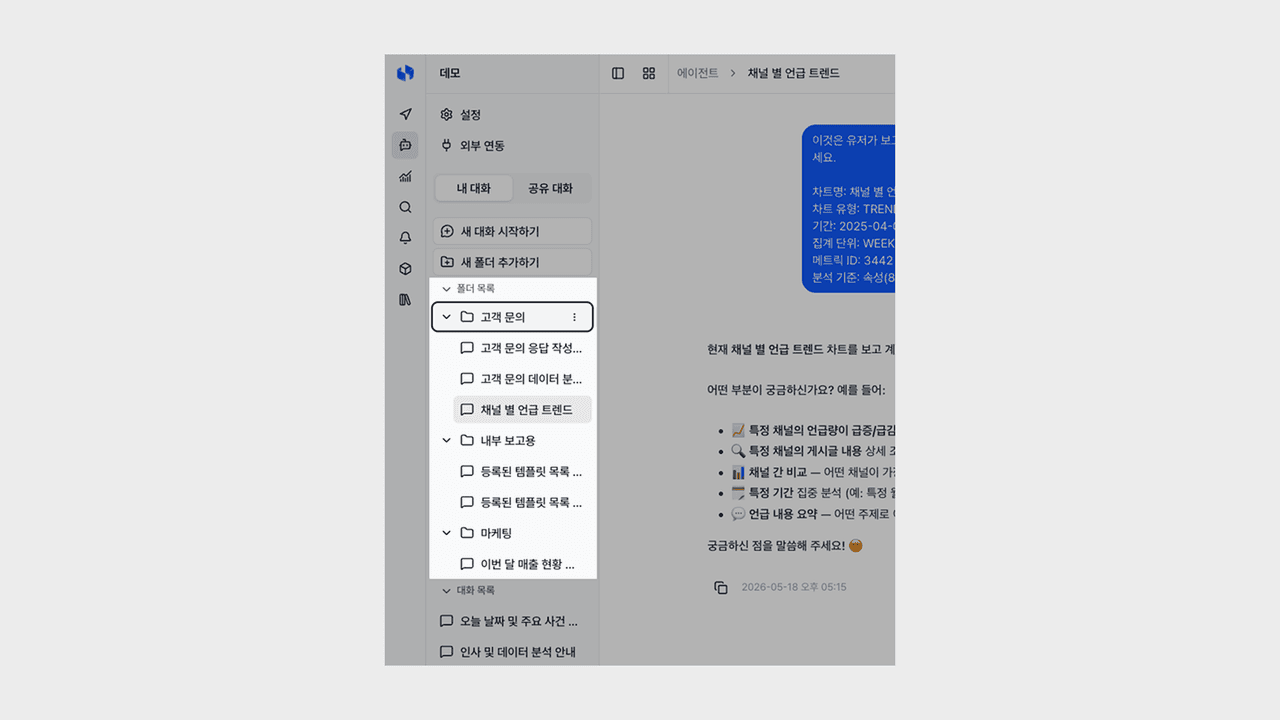
You can create folders by task or topic to group conversations, and place folders within folders to organize them in stages.
- Folder management: You can create, rename, and delete folders, and when you delete a folder, the conversations inside it return to the unclassified state.
- Nested subfolders: You can store conversations in stages, such as task → project → detailed topic.
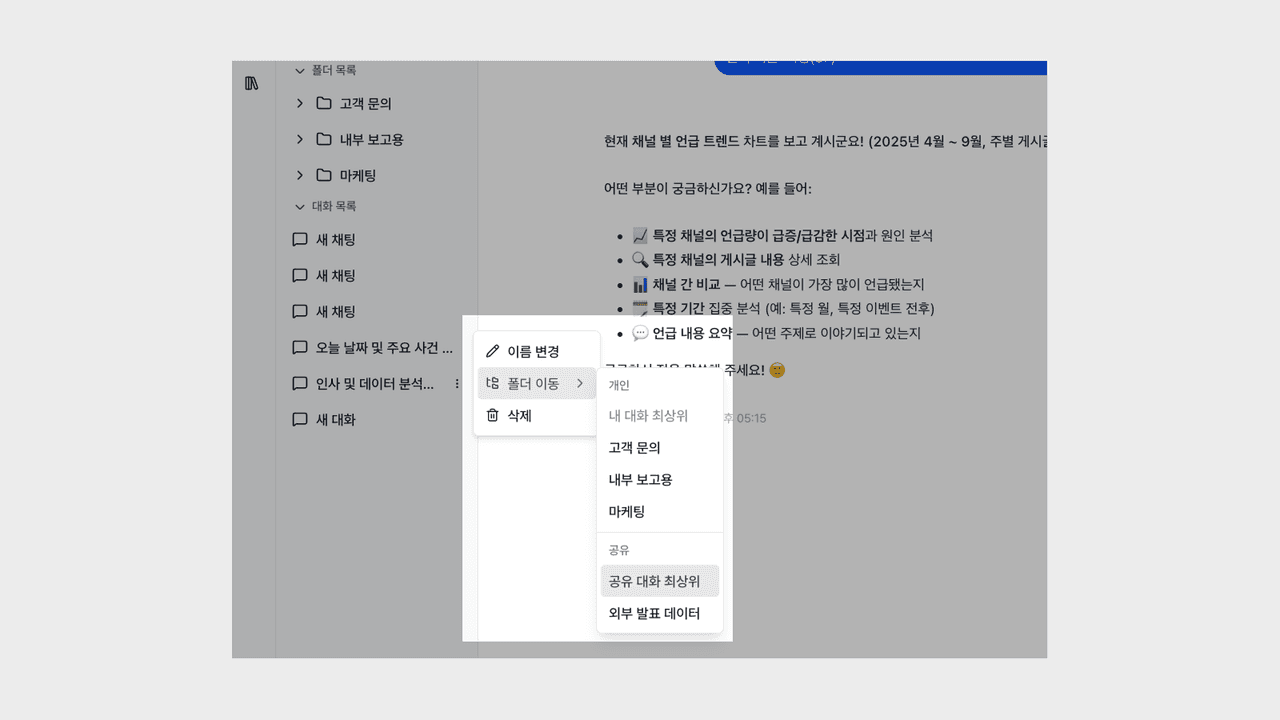
- Drag or move menu: You can drag a conversation and drop it, or move it via the menu, and moving between folders works the same way.
Now you can gather conversations by context in ways like "Let me collect operational issue responses by client in one folder," "Let me group this quarter's data analysis requests separately," or "Let me continue recurring routine-check queries in a single folder."
Separating personal and shared conversations
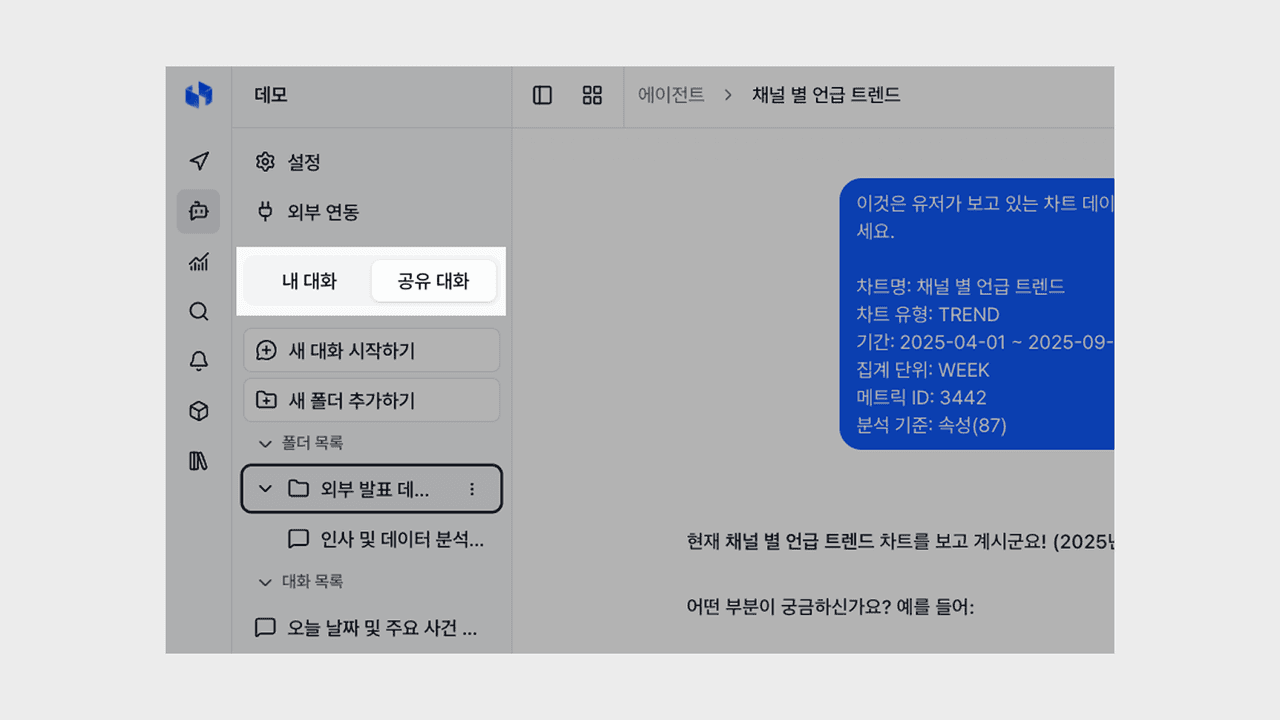
At the top of the sidebar, you can switch between two tabs—My conversations and Shared conversations—and each tab can have its own folder structure.
- Tab-first structure: The sidebar is organized in the order of tab → folder → conversation, so you can see at a glance which area you are viewing.
- Shared folders: Folders and conversations created in the Shared conversations tab can be opened and viewed by any member of your organization, so you can follow the progress of the same topic together.
- Automatic classification: When you create a new conversation or new folder in the current tab, it is automatically classified into that area.
Now you can keep personal note-style conversations in your own space and organization-wide policy and operations guides in the shared space, continuing the same context together with your team.
You can try it right away from the Deskroom sidebar > Agent. You can spend the time you used to spend finding and organizing conversations on continuing deeper work together with the agent.