Update: Edit Requests

AI analysis results cannot always be perfect. The people who handle data on the front lines are the first to spot errors, but not every piece of feedback should be reflected in AI training.
This update adds an edit request feature that lets anyone leave feedback on AI analysis results, while ensuring that only feedback reviewed and approved by an owner who knows the business logic well is reflected in AI training. You can prevent strange or unnecessary data from being trained on, and continuously accumulate only good data.
Why we need this
AI evolves through continuous feedback. But not all feedback is good feedback.
When an outsourced support center staff member wants to leave feedback on a quality evaluation result, when a manufacturing-floor owner spots an error in the AI's defect cause classification, when a partner company staff member finds a data labeling error. Their feedback is valuable, but if a correction made without fully understanding the business context is reflected as-is, it can actually degrade the AI's performance.
Edit requests solve this problem. Anyone who finds an error can propose a correction within the system, and an owner who knows the business logic well reviews it and approves only the valid feedback. You can lower the barrier to collecting feedback while keeping the quality of AI training data high.
The flow of an edit request
An edit request consists of three simple steps.
Creating a request: In the data detail view, click the property that needs to be corrected, enter the new value and the reason, and click the edit request button. This option is shown to users who do not have direct edit permission.
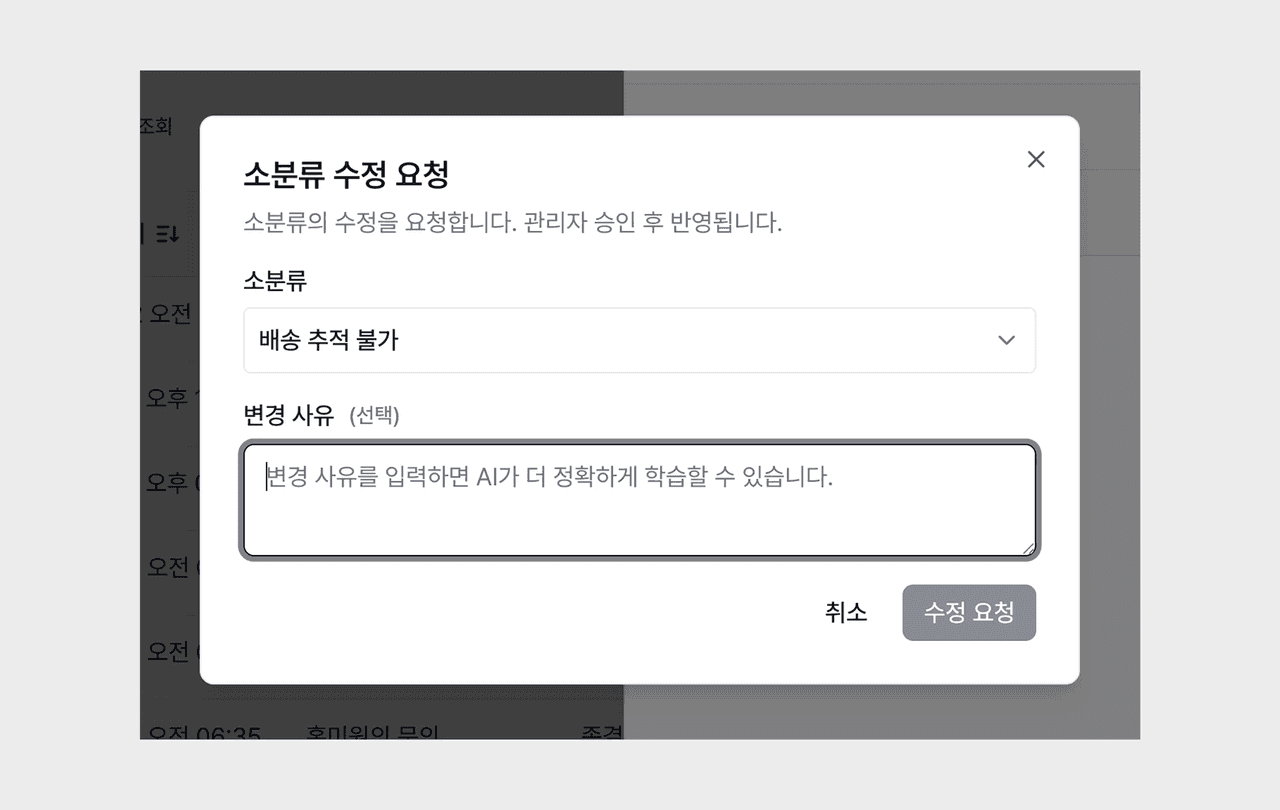
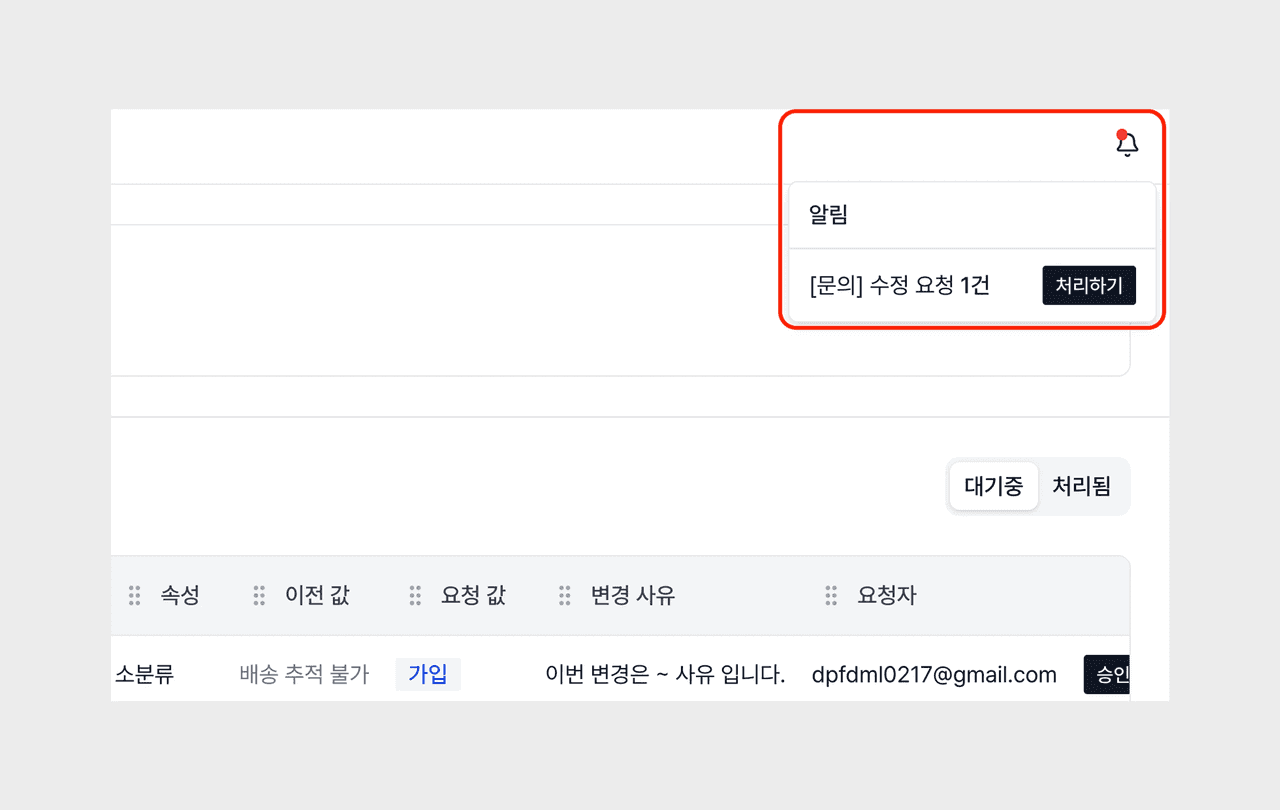
Notification and review: When a request is created, a notification is sent to the administrator. On the edit request page in the ontology menu, the administrator can see the requester, the target data, the before/after values, and the reason for the change at a glance.
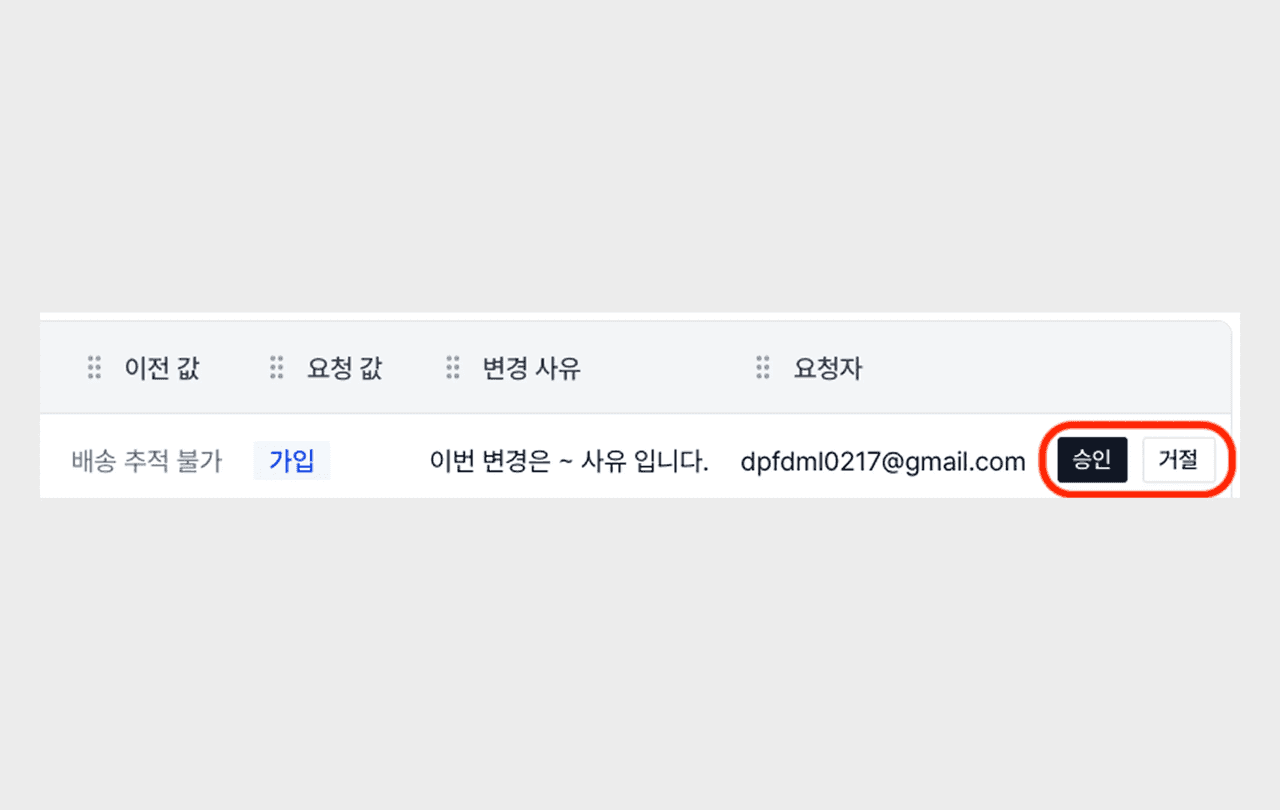
Approving or rejecting: When the administrator approves the request, the data is changed, a change log is automatically created, and it is reflected in AI training. If rejected, the request is marked complete and the data is not changed.
Use scenarios
Edit requests are used in a variety of situations across roles and domains.
AI analysis quality assurance (QA)
In a quality evaluation process where people review the results the AI classified and judge Accept/Reject, you can immediately log cases that need correction as requests. You do not have to grant QA staff direct edit permission, and the quality evaluation records remain in the system as supporting material for improving the AI model.
Reflecting feedback from external personnel
When external personnel—outsourced centers, contractors, partner companies—handle data, it is difficult to grant them direct edit permission. Through edit requests, external personnel can also report errors, and internal administrators can review them and selectively reflect only the necessary corrections.
Collaboration between the field and headquarters
When field personnel such as quality owners on a manufacturing floor, logistics center operations teams, and sales branch staff find AI analysis errors, they can request a correction right away. Headquarters administrators can review the requests in bulk and approve only the valid ones, managing data quality centrally.