Update: Translation and Property Sync
Why this matters
Once you have collected data, the next step is understanding and classifying its content. When this process becomes easier, the flow up to analysis becomes much smoother. When reviewing foreign-language posts, you can read them right inside Deskroom without bouncing to an external translator, and you don't have to add ontology properties one by one every time a new value appears.
This update makes the work after collection lighter, so you can focus on analysis right away.
Community post translation
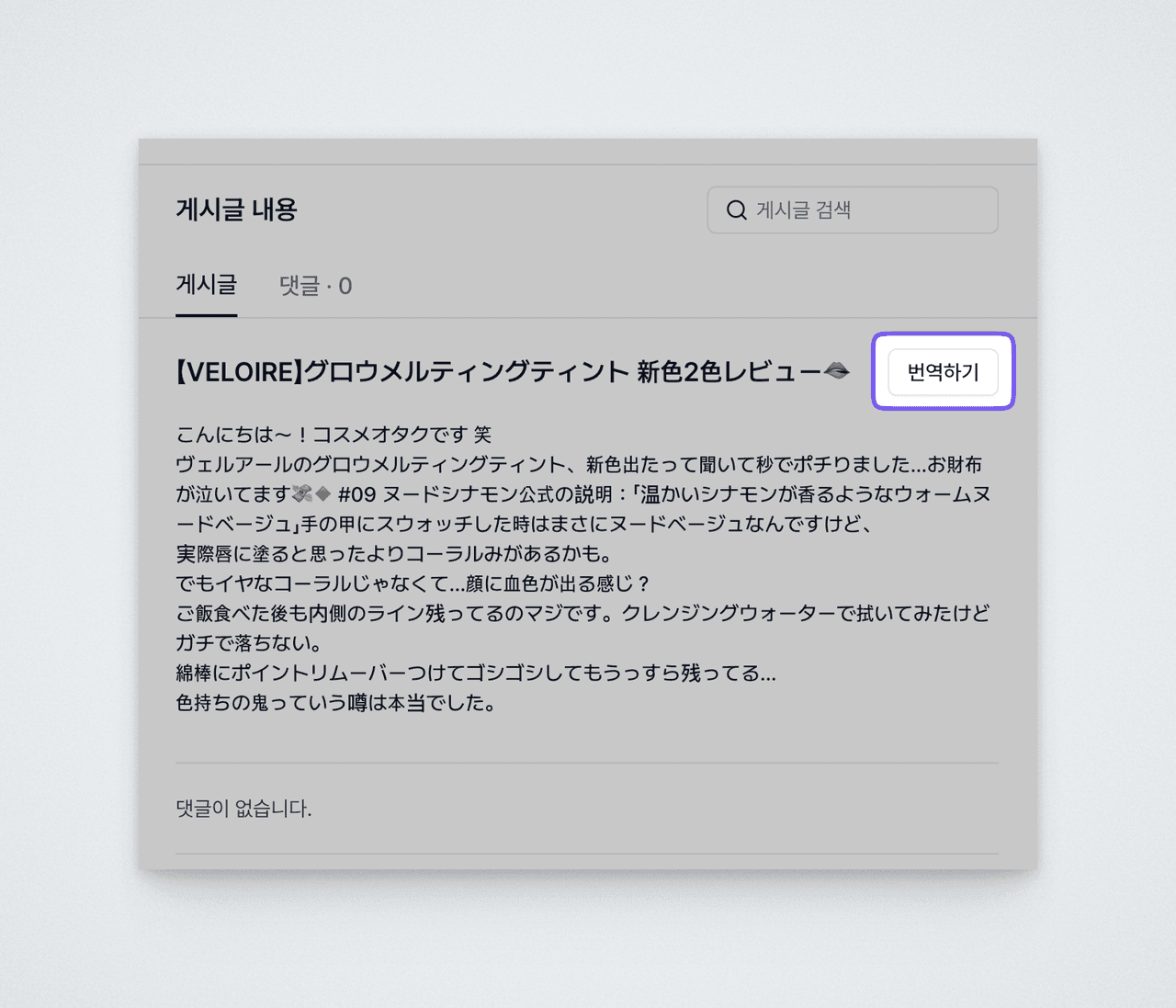
You can view foreign-language posts collected from communities as Korean-translated versions right inside Deskroom. Whatever the content form—social posts, community posts, forum posts—you can instantly check the translation right next to the original and continue your analysis, without a separate translation tool.
It supports a variety of languages, including Japanese, Chinese (Mandarin and Cantonese, both Simplified and Traditional), Malay, and Arabic.
Syncing property values from external channels
You can automatically sync field values managed in external systems to Deskroom ontology properties. With a single [Sync] button, the latest values are pulled from the connected system.
For example, you can automatically pull field values of objects managed in Salesforce (product category, customer tier, etc.) or values of specific columns managed in Google Sheets (a list of product names, a list of brands, etc.) into Deskroom property values.
The sync feature works as follows.
- Only additions are reflected: Even if you click [Sync] multiple times, only values newly added in the upstream system are reflected. Existing values are not duplicated.
- Deletions are preserved: Even if a value is deleted in the upstream system, it is kept as-is in Deskroom. This guarantees the consistency of past data that uses that value.
- Newly added label: Values newly added after a sync are marked with a
Newly addedlabel, so you can see at a glance which values came in this time. - Synced / manual distinction: Values added through a sync get a
Syncedlabel, clearly distinguishing them from values you added manually.
For example, if you manage three properties—product name, product group, and brand—in your inquiry, review, and community ontologies respectively, you no longer need to add values one by one. Just click the [Sync] button, and the latest values are pulled from the connected system all at once.
Collecting data matters as much as making everything after collection smooth. In an environment where foreign-language content can be read instantly with one click and property values are filled in automatically, focus on analysis faster.