CSAT Analysis
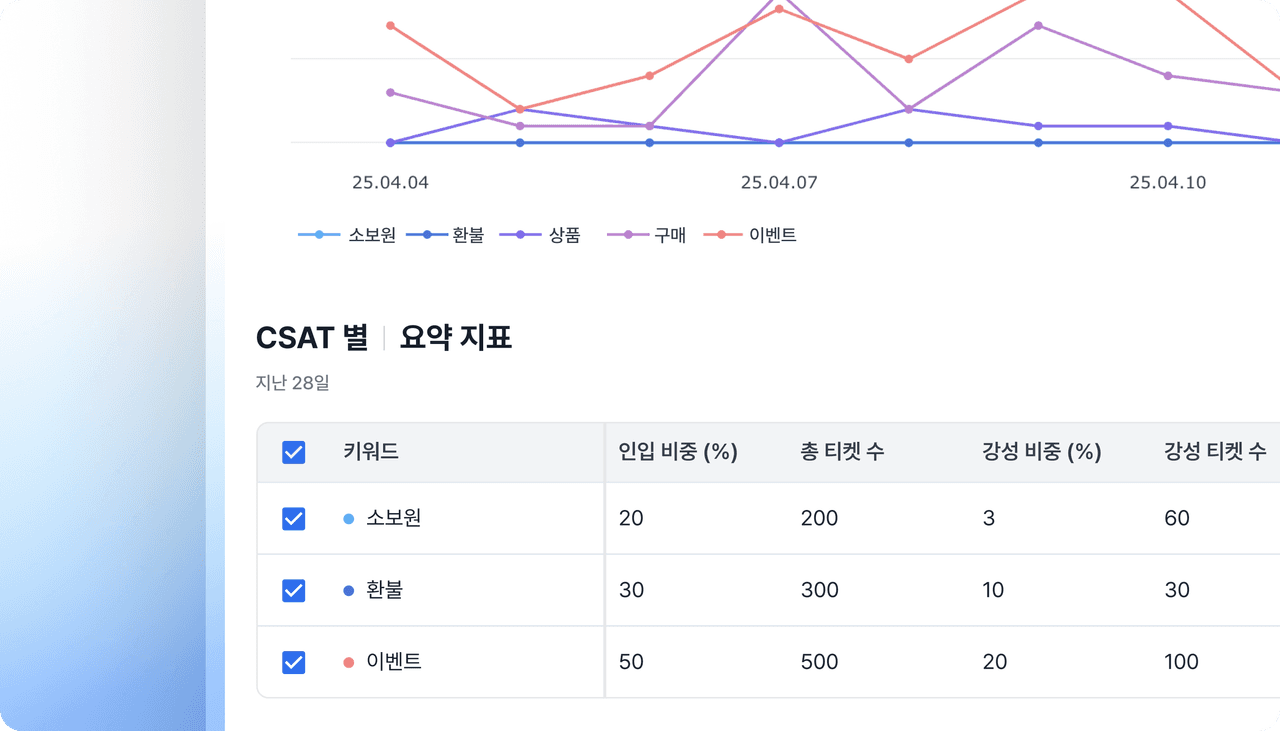
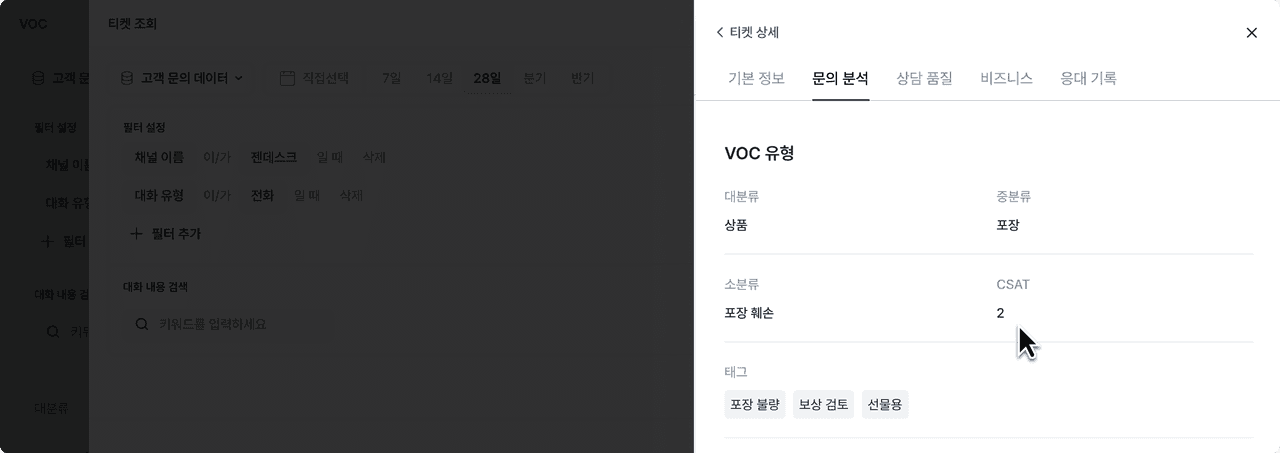
Deskroom supports CSAT (Customer SATisfaction Score) analysis. By matching CSAT scores collected from multiple support solutions or survey tools to tickets, you can analyze the factors that had the greatest impact on customer satisfaction.
Why we made this
Have you ever found it hard to analyze customer inquiries and CSAT scores together, because the inquiries were in a support solution and the CSAT scores were in a separate survey tool? Even if you integrated the data, identifying which inquiries affected CSAT required matching them one by one or getting help from the data team.
By automatically connecting support history and CSAT scores, you can easily analyze which inquiry types or support experiences affected customer satisfaction.
Use cases
When you want to analyze the relationship between VOC metrics and CSAT to prioritize product improvements
- List up the VOC types with low CSAT scores, retrace the customer's journey of using the product and service, and ask the product team to improve them first.
- When CSAT scores are low for "delivery delays" compared to other VOC types, you should raise the priority of improving the delivery process and operational workflow.
When you want to analyze the relationship between agent metrics and CSAT to prioritize operational improvements
- Analyze which key productivity metrics (first response time, handling time, resolution time) lower CSAT, and reflect this in agent training or decide whether to add more agents.
- Analyze which key support quality metrics (greeting, accuracy, process compliance) lower CSAT, and reflect this in agent training to raise customer satisfaction.
How to use
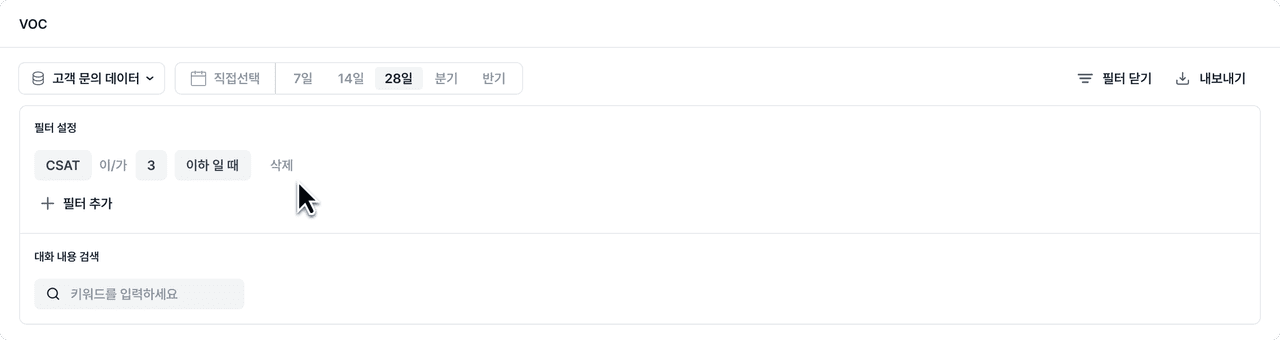
Integrate the channels that contain CSAT data into Deskroom. You can extract CSAT data left in various solutions such as Zendesk, Channel Talk, and survey tools, and easily analyze it by matching CSAT to each ticket.