Custom Overview

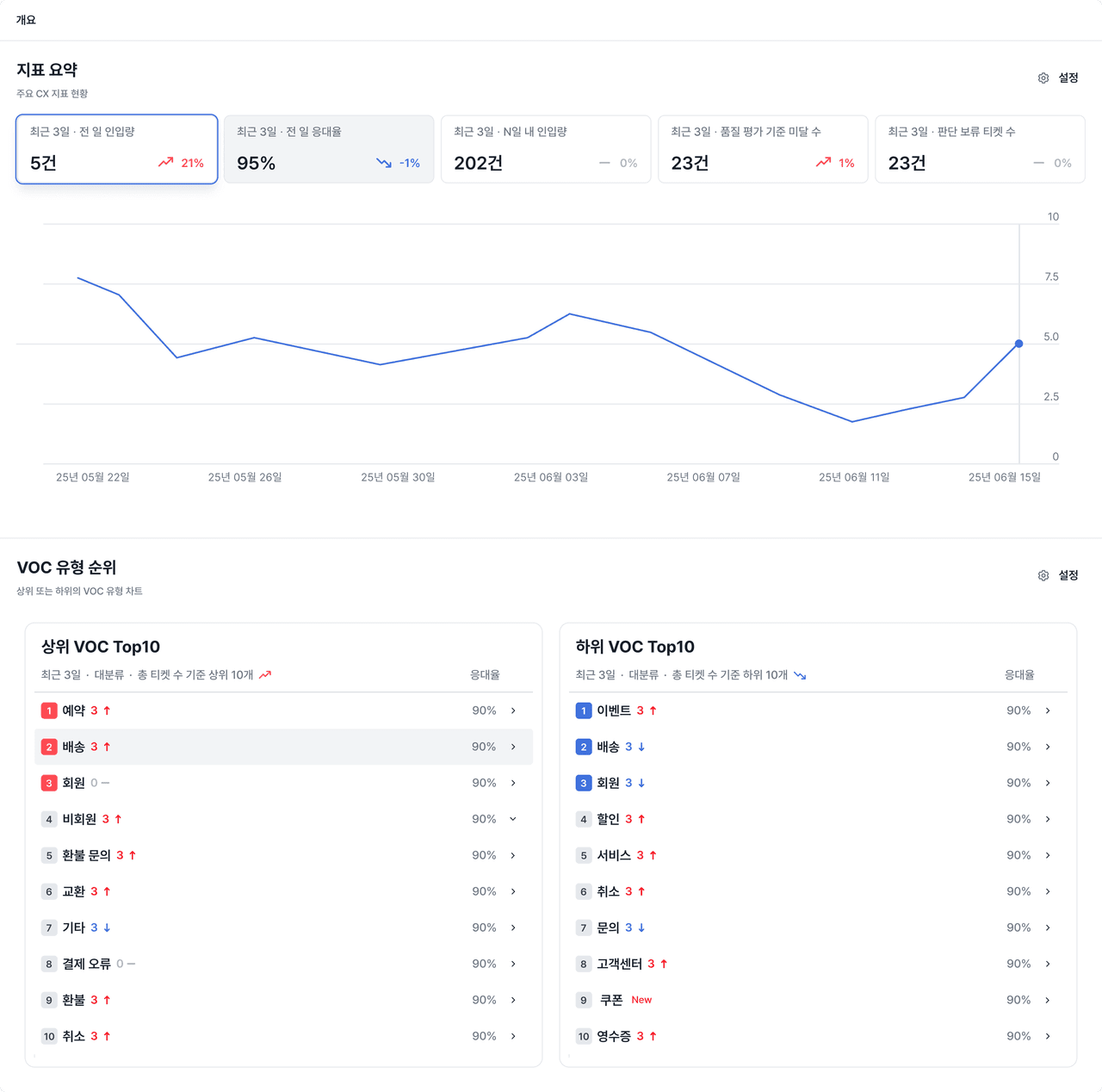
Deskroom provides a custom overview feature that gathers the key metrics you need to review repeatedly and the VOC types that recently occurred onto a single screen. You can grasp the data you check often, by various criteria such as brand, product, and question type, more quickly and efficiently.
Why we made this
Among the many metrics included in a report, the information you actually check every day is fixed.
For example, you might focus on the response rate and the number of handled cases by brand every day. Or you might gather only the VOC items that spiked in a specific question type to check whether there is an issue.
We designed the custom overview feature so that you can gather these frequently checked metrics and warning signs onto a single screen for a faster review.
Example use cases
Checking the core metrics you review every day
Before each weekly meeting, a CX team lead gathers the following key metrics onto the overview for a quick review.
- Total in-app volume over the last 3 days
- Response rate over the last 3 days
- Number of cases below the quality assessment standard within the last 7 days
By gathering only the metrics you check often, you can grasp the key figures quickly without flipping through separate analysis screens.
Detecting VOC issues that spiked in a specific type
A CX team lead monitors the VOC type ranking to check whether a specific inquiry type has recently spiked.
- Based on the total VOC volume over the last 3 days
- The top 10 VOC types
- Sorted by rate of change
You can easily check types with a high likelihood of issues, such as "delivery," "reservation," and "membership."
How to use it
In Deskroom, go to the [Overview] tab, then select and save the metrics and VOC types you want to check.
Reduce the time spent exploring metrics and respond to issues faster.