Update: AI Feedback and Custom Prompts

For AI to understand how people think, it needs enough training data. But it is hard to have that data perfectly in place from the very start.
That is because the way people think, like a brand manager's intuition, a marketer's judgment, or classification criteria that differ from organization to organization, is not organized into a form that AI can easily learn from. In the end, for AI to understand how our organization makes judgments, we have to teach it ourselves.
This update supports doing that "teaching" more naturally, within the flow of everyday work.
When you leave feedback, the AI learns automatically
While reviewing analysis results, there are moments when you feel "this should have been judged this way…" Now, in that moment, you can leave feedback right away and have the AI learn from it.
- Spotting a wrong judgment: For example, a review's tendency should be classified as "positive" but is marked as "neutral."
- Correcting the value: Before: "neutral" → After: "positive"
- Entering the reason: "The customer used the expression 'so moist,' which signals a positive feel of use."
- Automatic learning after saving: The corrected content and rationale are reflected as AI training data and influence the next classification.
All feedback is managed in a structured way. You can browse it by object (inquiry, review, community, ad, order) and filter it by property, so you can check what feedback you left and how it was learned.
Set the AI's judgment criteria clearly by writing your own prompts
Beyond leaving feedback on individual data, you can also define the AI's judgment criteria themselves clearly from the start. By writing a prompt for the AI to reference for each property, you can apply your organization's way of interpretation consistently.
- Linking input properties: You select the data the AI will reference when making a judgment. By choosing the data the AI will refer to when it judges, you can directly designate the input values to use.
- Writing the prompt body: You clearly describe the rules the AI must follow.
- e.g., "We are a beauty brand. When a customer says 'so moist' or 'so soft,' it is 'positive.' When they say 'not great' or 'disappointing,' it is 'negative.'"
- Testing and validating: You enter real data to preview the result in advance. If the result differs from what you expected, you can revise the prompt and test again.
- e.g., "Brand A wasn't great, but this one is moist!" → AI judgment: comparatively positive ✓
- Applying and maintaining: Once you get a satisfactory result, you apply the prompt to all the data. After that, the changed prompt is automatically reflected in newly analyzed data, and you can keep fine-tuning through the feedback feature when needed.
Without an engineer's help, you can design and validate the AI's judgment system yourself. By systematizing your organization's criteria, the AI grows ever closer to your team's way of thinking.
Small but handy updates
Specifying decimal places for metrics
A feature was added that lets you directly control the precision of metric display.
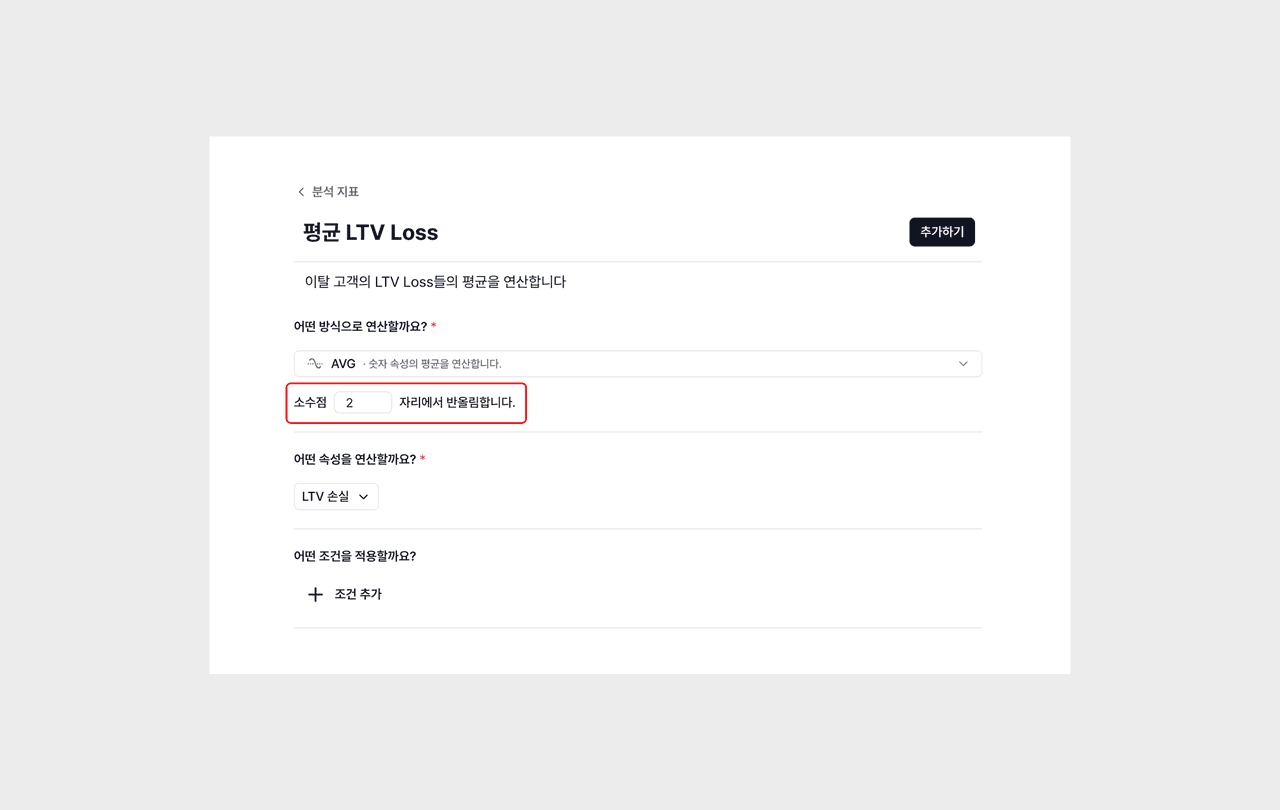
- For metrics that require an operation, like SUM, AVG, and RATIO, you can set how many decimal places to display.
- For example, you can specify conversion rate to two decimal places, average response time to one place, and total count as an integer.
- While keeping the meaning of the data, you can reduce unnecessary digits and manage the dashboard more neatly.