Update: Property Management

As you run your analysis, your property system changes along with it. New classification criteria may be added, and values you no longer use may need to be cleaned up.
This update focuses on letting you manage property values and properties themselves more flexibly in response to such changes.
Activate / Deactivate property values
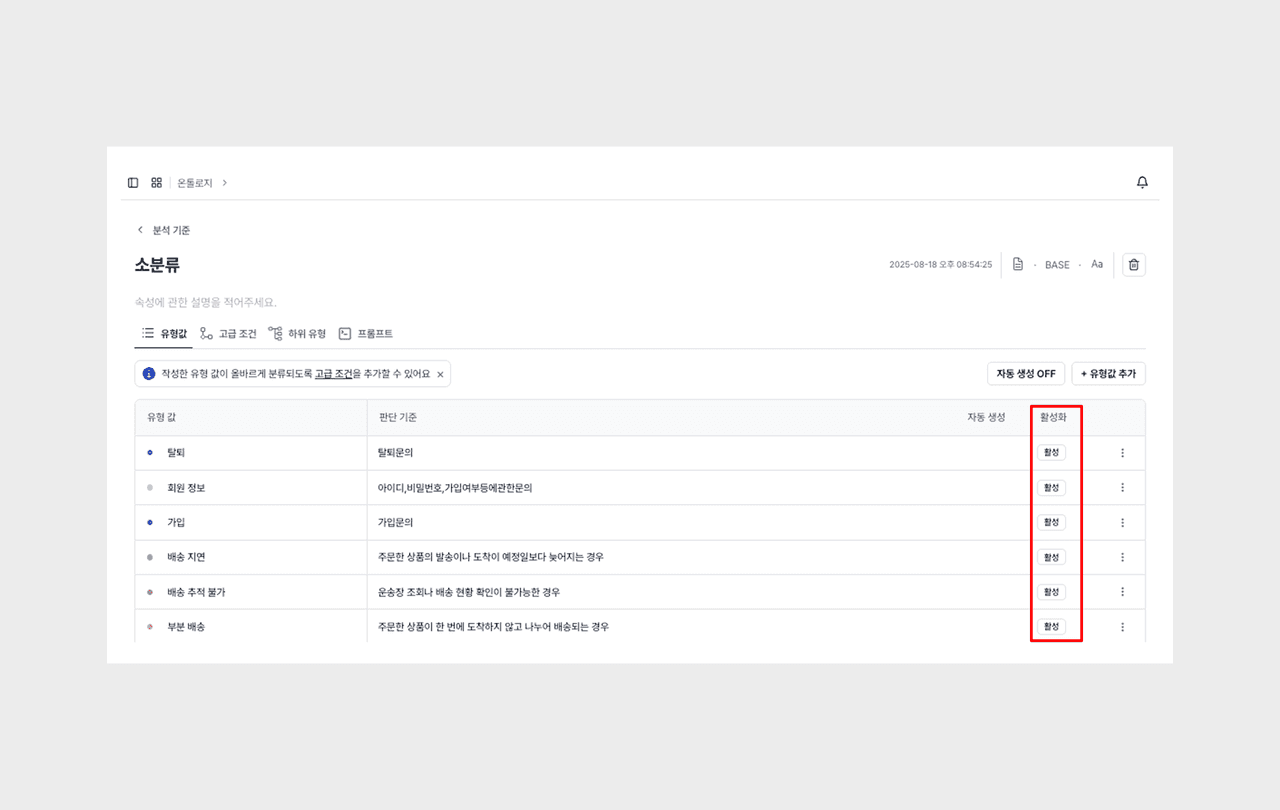
You can deactivate property values you used in the past instead of deleting them.
A deactivated property value is still queryable in existing data, but is not used for new classification inference. When a value is no longer used but its past records must be kept, you can deactivate it instead of deleting it.
You can reactivate it anytime if needed, so you can respond flexibly to changes in your classification system.
Show / Hide properties
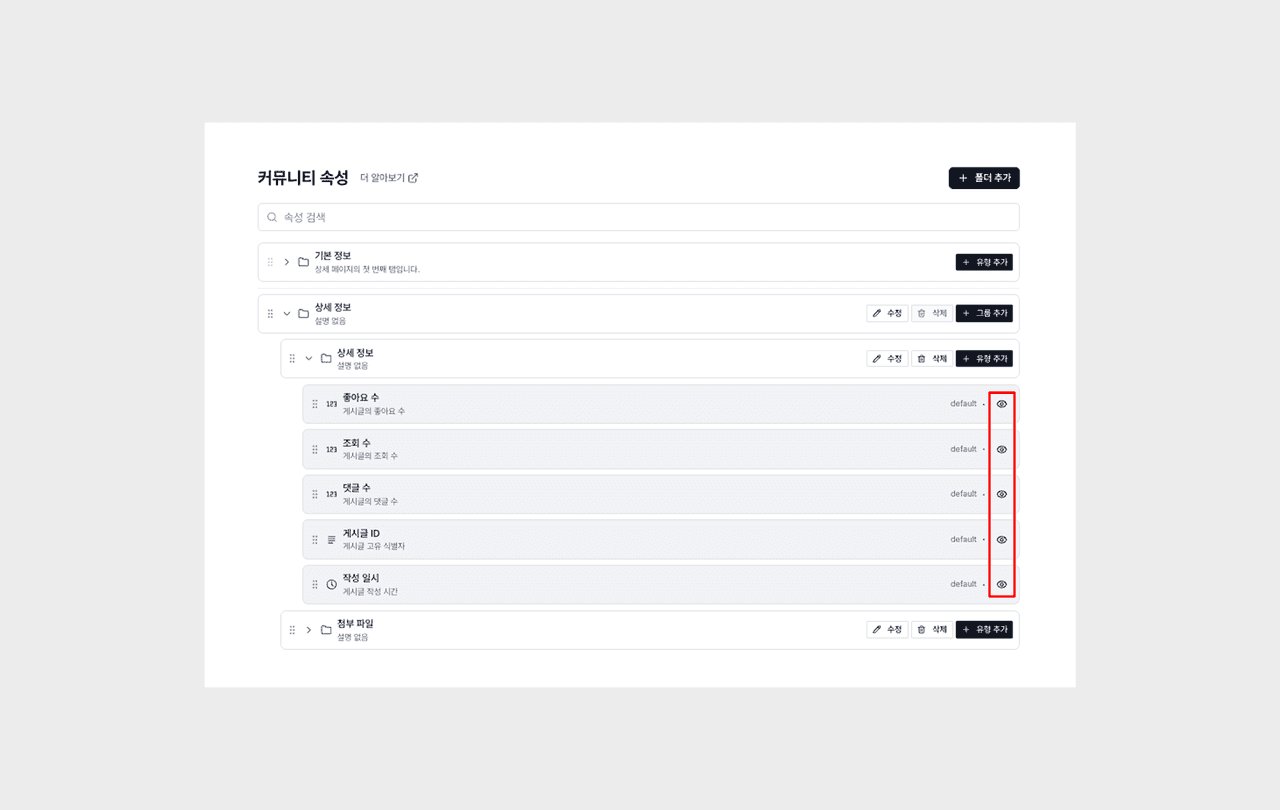
You can selectively show or hide the properties displayed on screen.
The more properties there are, the more cluttered the query screen becomes, so you can hide properties you don't need right now and expose only the key items to keep the screen neat.
Small but handy updates
Editing feedback content
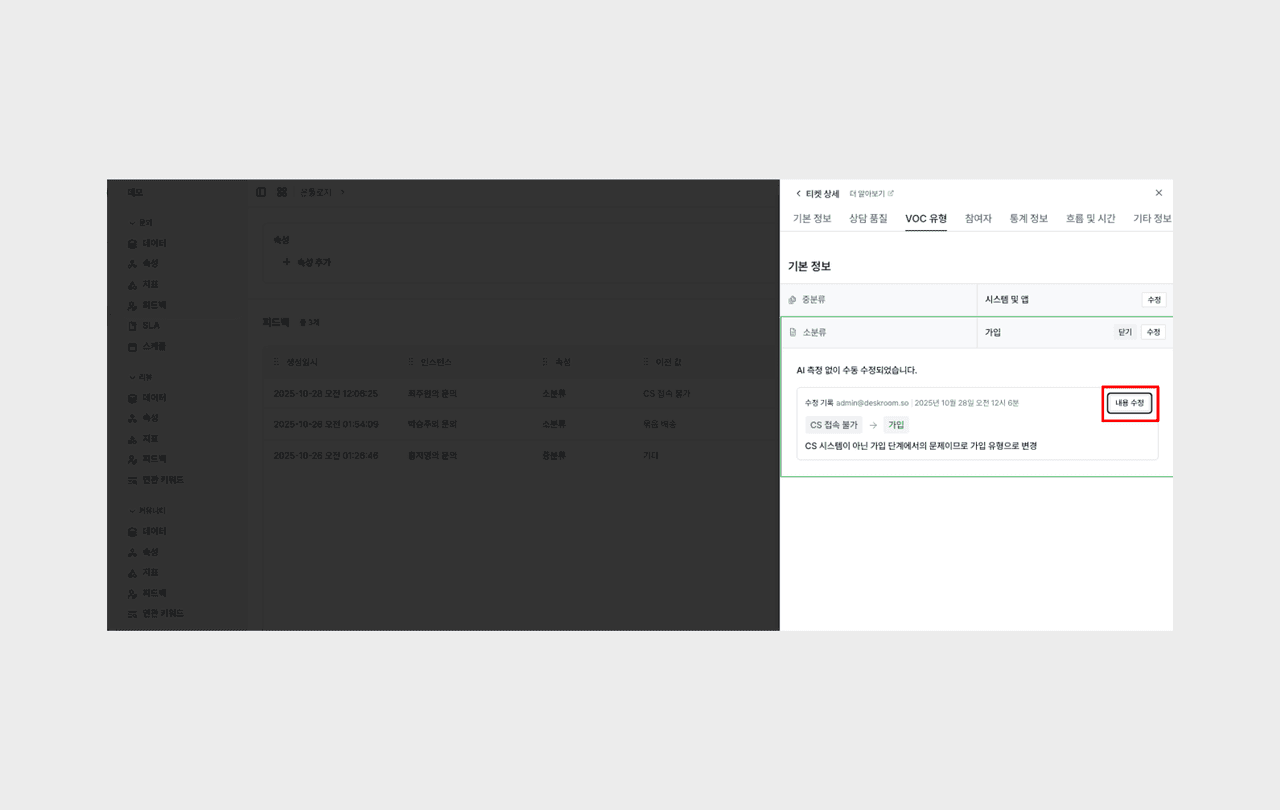
You can edit feedback content you've registered even afterward. When you need to fix a typo or supplement the content, you can edit the existing feedback right away without writing it anew.
Editing property names
You can change property names directly within the ontology. It's useful when the classification criteria change or when a clearer expression is needed.