Update: Add Instances via File Upload

This update adds the ability to upload multiple files at once to add instances.
In addition to Excel and CSV, you can process formats like JSON, DOCX, PDF, and PPTX in the same flow, and review and edit the automatically generated candidates right there to register them all at once.
Why we made this
The more newly gathered materials pile up not only as structured tables but also as documents with scattered formats like meeting notes, reports, and proposals, the harder it is to organize them into a single fixed format. In the end, you end up spending time opening each file separately to transcribe the key items, or repeating the same task for each format.
This update narrows that gap, so even files in different formats can be uploaded at once to become instance candidates that you can register after just a review.
Upload Files of Multiple Formats at Once
When you upload multiple files, each file is automatically organized into instance candidates according to the custom object schema.
- Multiple format support: Not only tables like Excel and CSV but also JSON, DOCX, PDF, and PPTX can be processed at once in the same upload flow.
- AI candidate organization: It analyzes the uploaded files and groups them into a list of instance candidates matching the board schema.
- Batch candidate editing: You can fill in missing values, fix incorrectly captured items, and delete unnecessary candidates all on the same screen, then register everything with a single confirmation.
File Upload Process
- Click the Add Data button in Ontology > Data > File Upload.
- Upload the files you want.
- The AI recommends instance candidates. During this process, you can directly edit/add/delete candidates.
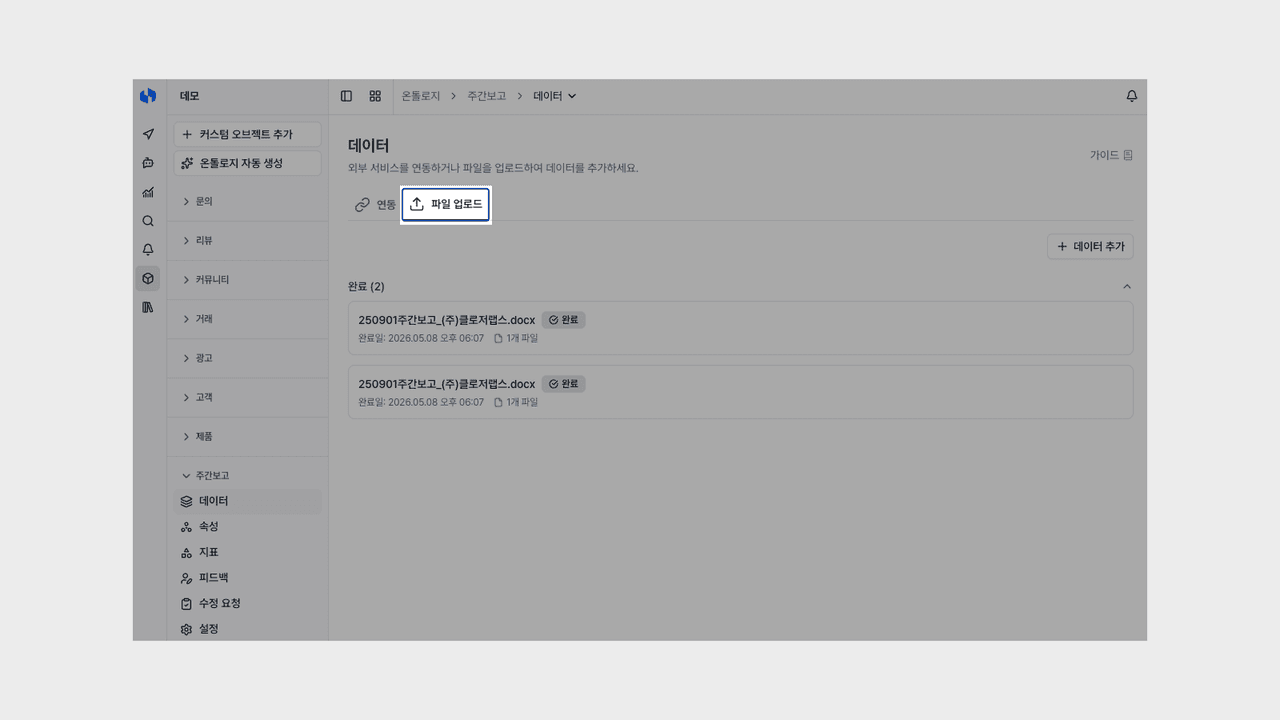
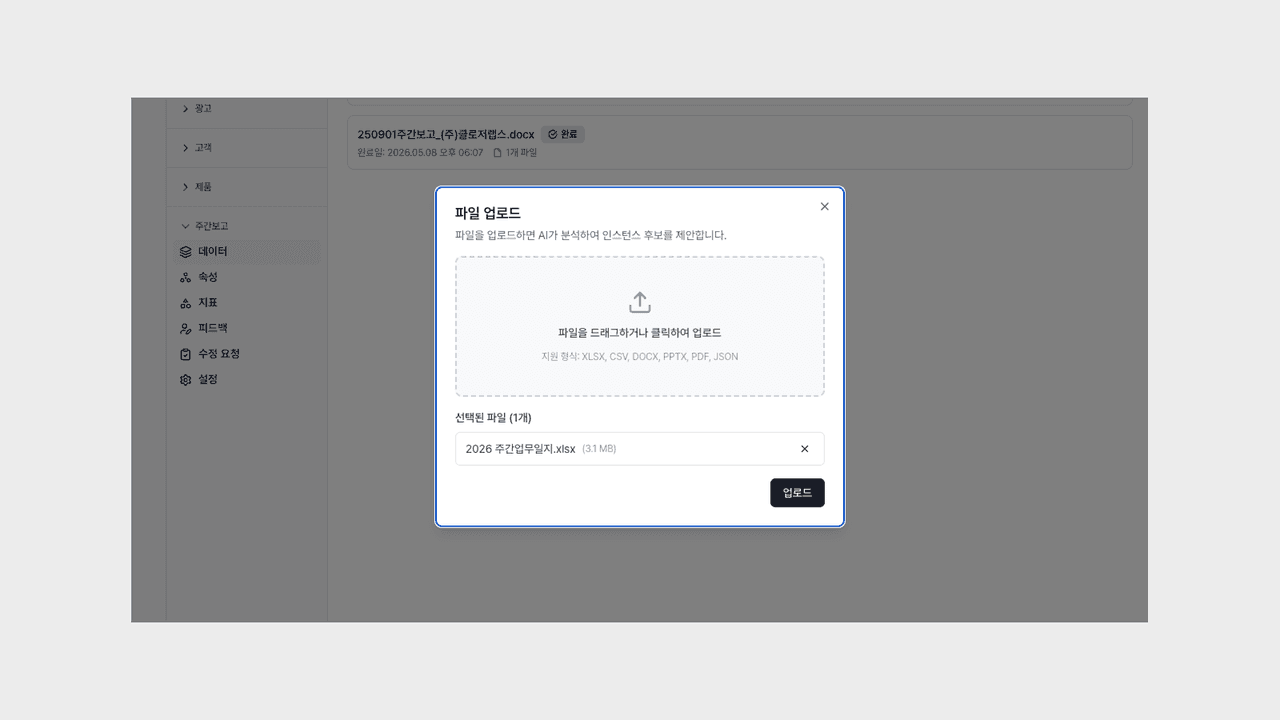
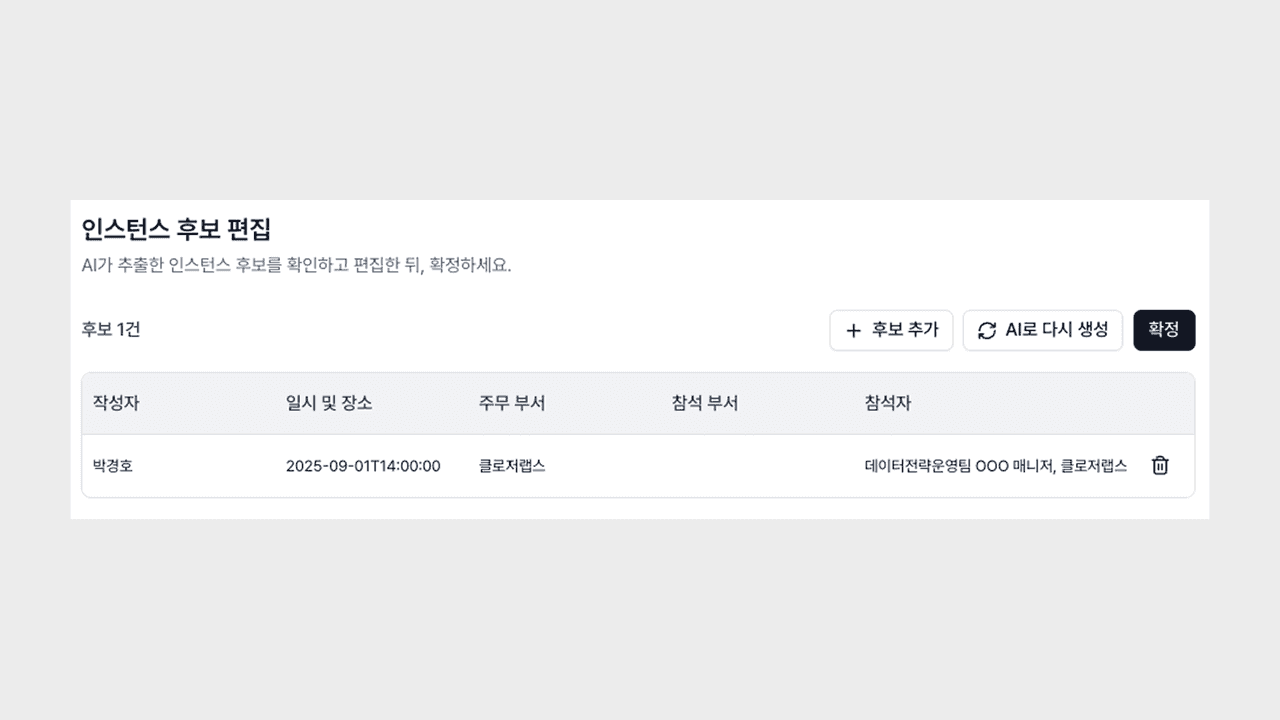
Now you can start tasks like "let's upload the workshop meeting notes PDF together with the attendee list Excel and organize them into an issue board," "let's register a bundle of quarterly sales proposal PPTX files into the client board at once," or "let's gather the team's interview notes DOCX and insight memo JSON into the same board" with a single upload. Even materials with scattered formats can be gathered into one board to continue straight into analysis or follow-up work.
You can try it right away via Deskroom sidebar > Search (custom object) or Ontology > Data > File Upload, Add Data. The time you spent organizing scattered files into boards can now be spent reviewing the gathered materials and making decisions.