Update: Property Groups

Even from a single dataset, you can draw out countless analytical insights. As you do, properties keep growing, and the deeper your analysis goes, the more properties you end up defining.
The problem is that once properties start to multiply like this, it becomes increasingly hard to quickly find the item you want. When similar properties are scattered around, the information structure gets blurry, and you have to hunt for which property is where on the view screen every time.
This update focuses on bundling and organizing properties more naturally so you can understand the view screen at a glance.
You can manage multiple properties as groups
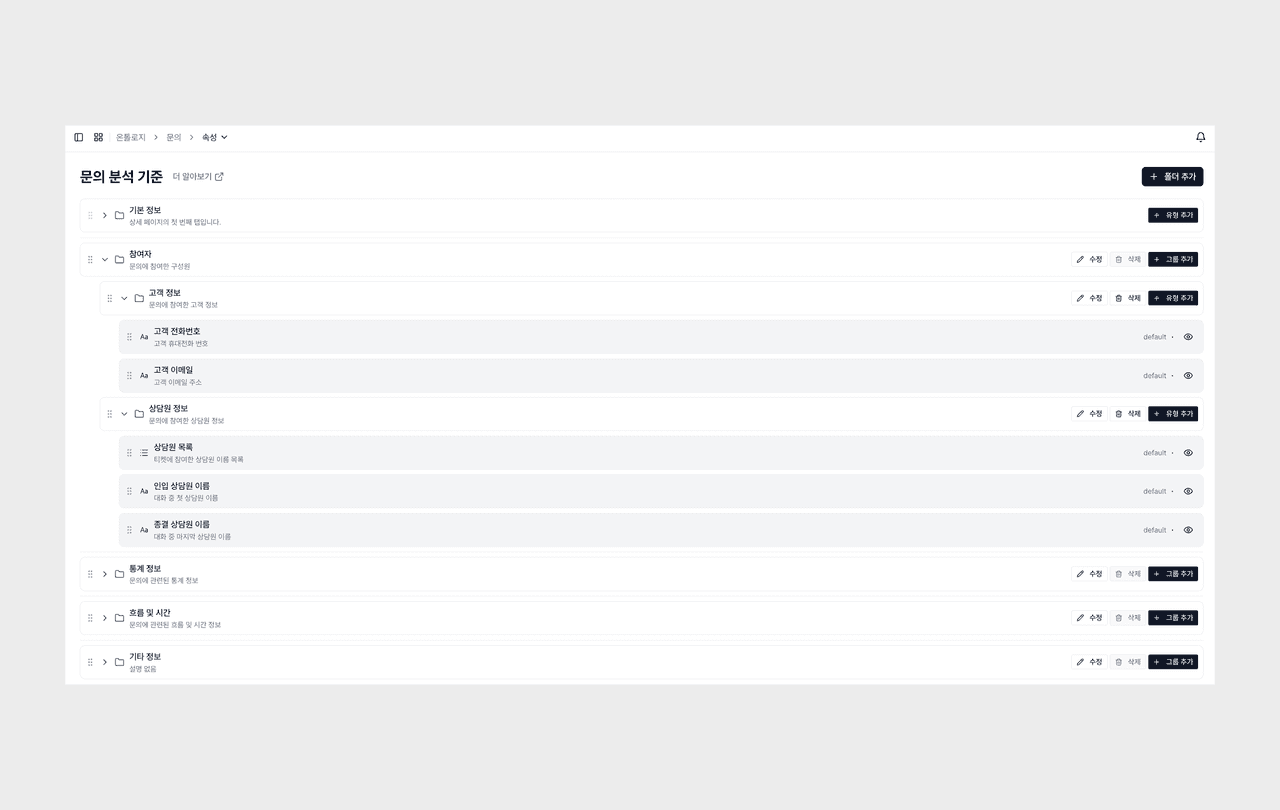
You can bundle multiple properties into a single group that fits your purpose and manage them together.
- You can freely create groups according to your analysis flow or data structure. For example, you can naturally bundle properties of similar nature together, such as order info, customer info, inquiry characteristics, and sentiment analysis.
- Properties organized into groups appear far more clearly on the view screen, and you can check related properties in nearby positions, making it easier to grasp context during analysis.
- Especially for organizations where properties grow numerous, a group structure reduces navigation time and greatly improves how well information is understood.
- In addition, a feature to directly adjust the order of properties within each group is also provided.
- You can move frequently used items to the top or naturally sort them to match your analysis flow, so you can immediately find the properties you need when viewing data.
Property groups are reflected in the data detail
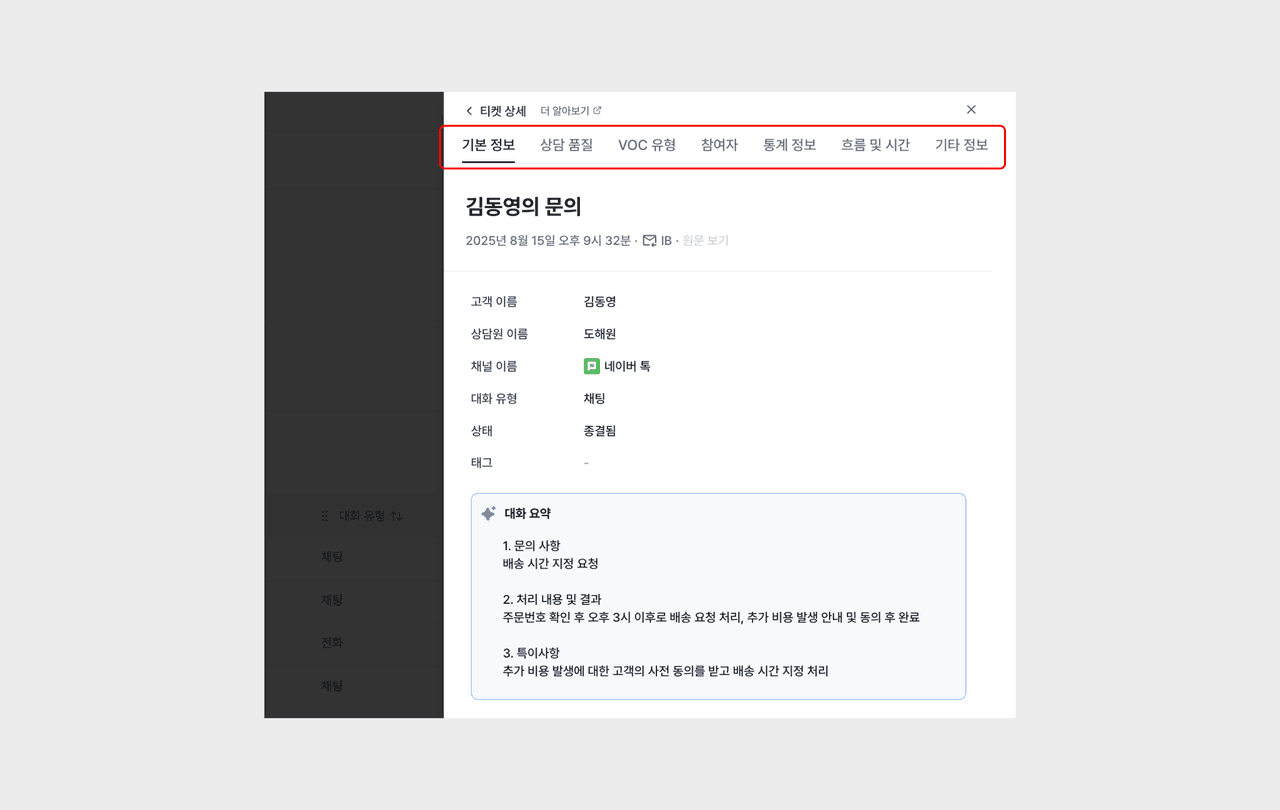
The property groups and property order configured this way are reflected and shown as-is when you view data in detail.
- How you bundled and sorted properties carries straight through into the actual viewing experience, providing a more consistent and intuitive analysis environment.