Schedule Creation
Intro
Deskroom provides a schedule feature that lets you visualize the operating hours for each support channel. See operating hours and break times at a glance, and analyze response rates accurately based on actual service hours.
Why we made this
When operating hours differ from one support channel to another, it is often difficult to judge the response rate accurately.
For example, chat support may run from 9 a.m. while phone support may start at 10 a.m. Or some channels may not operate during lunch hours.
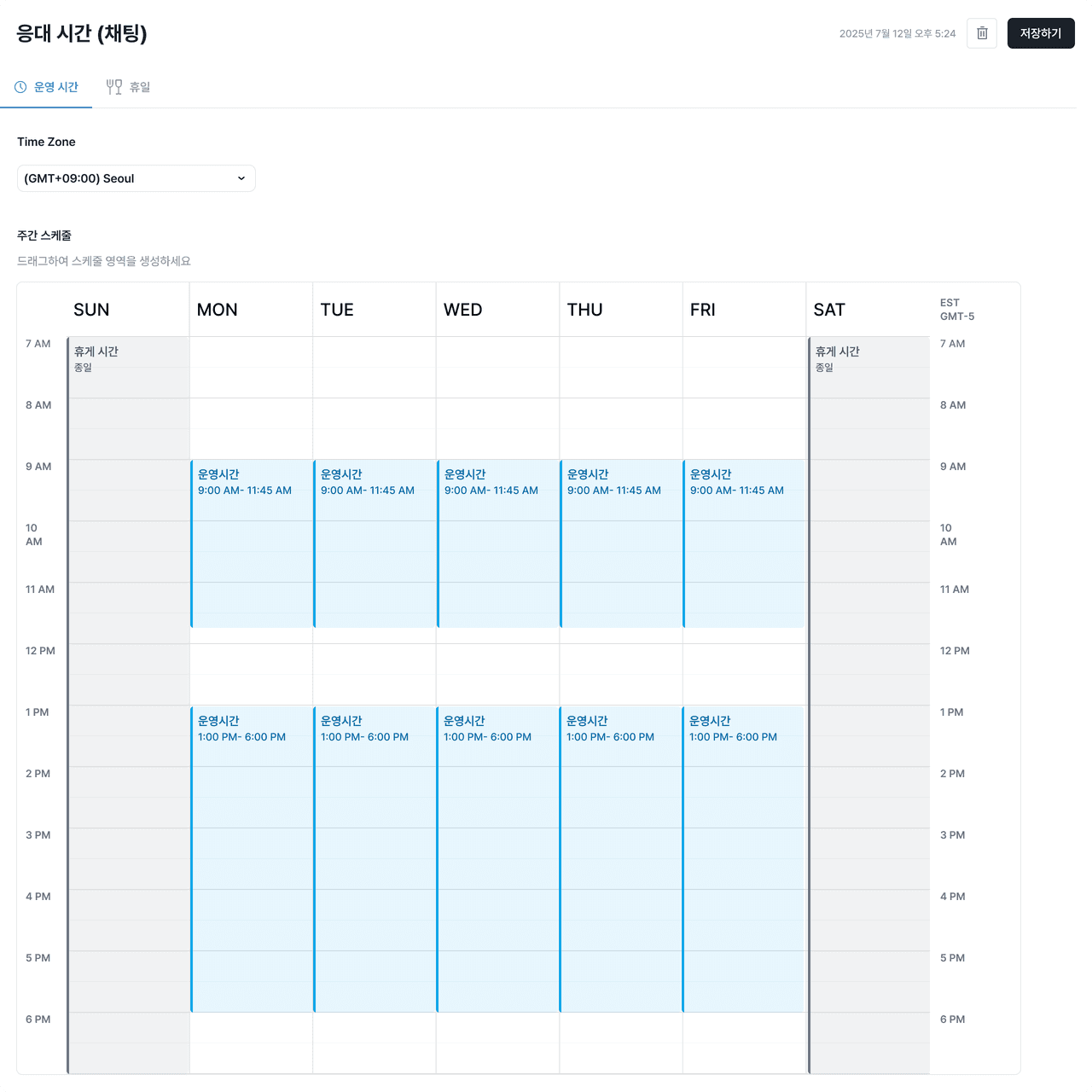
Deskroom provides a schedule feature, visualized, that lets you set operating hours and break times for each channel. This way, you can accurately gauge the response rate based only on inquiries received during operating hours.
Use cases
When you want to check a global schedule across different time zones
- When serving overseas customers, you can set operating hours to match the different time zones of each country. Through the schedule table, you can check the differences in operating hours by channel and set response criteria without confusion.
When you want to check agents' response rates accurately
- Based on the operating hours of each support channel, you can filter only the tickets received during operating hours. For example, calculating the response rate based only on inquiries received during phone support operating hours (10:00–19:00) lets you gauge agents' actual response performance more accurately.
How to use
In the [Operating Hours] tab, you can create a schedule by setting operating hours and break times for each channel. The schedule is applied automatically according to the conditions you set, and serves as the criterion for classifying whether an inquiry was received during operating hours. This criterion is used for ticket filtering, response rate calculation, support performance analysis, and more, enabling more accurate support analysis.