SLA Criteria Settings
Intro
Deskroom provides a feature that lets you set up support SLAs (Service Level Agreements) yourself and automatically determine whether the criteria are met. Create SLA rules based on ticket conditions, and classify them as compliant when the rules are met and non-compliant when they are not, to accurately measure support performance.
Why we made this
More and more companies are adopting SLAs to improve the quality of customer service, but the process of figuring out whether actual support met the SLA is still cumbersome and time-consuming.
For example, even if you set SLAs such as "connect to support within 5 seconds" or "support duration of at least 3 minutes," it takes a lot of resources to compare and analyze them against each ticket one by one.
When a company sets its own SLA criteria, Deskroom automatically classifies them and marks each ticket as compliant or non-compliant. This lets you quickly check whether agents met the SLA, and exactly when and on which tickets they missed it, and immediately reflect this in improving support quality.
Use cases
When you want to check the SLA status of multiple agents quickly and clearly
- You can check the SLA compliance status of multiple agents on a single screen, and filter by various conditions such as brand, agent, time slot, and date.
- By identifying agents who did not meet the SLA and the time slots of non-compliance, you can immediately pinpoint areas that need improvement.
When you want to track the VOC types that violate SLA criteria
- You can analyze whether SLA violations are correlated with specific VOC types or customer complaints. Based on this, you can accurately diagnose the cause and devise solutions.
How to use
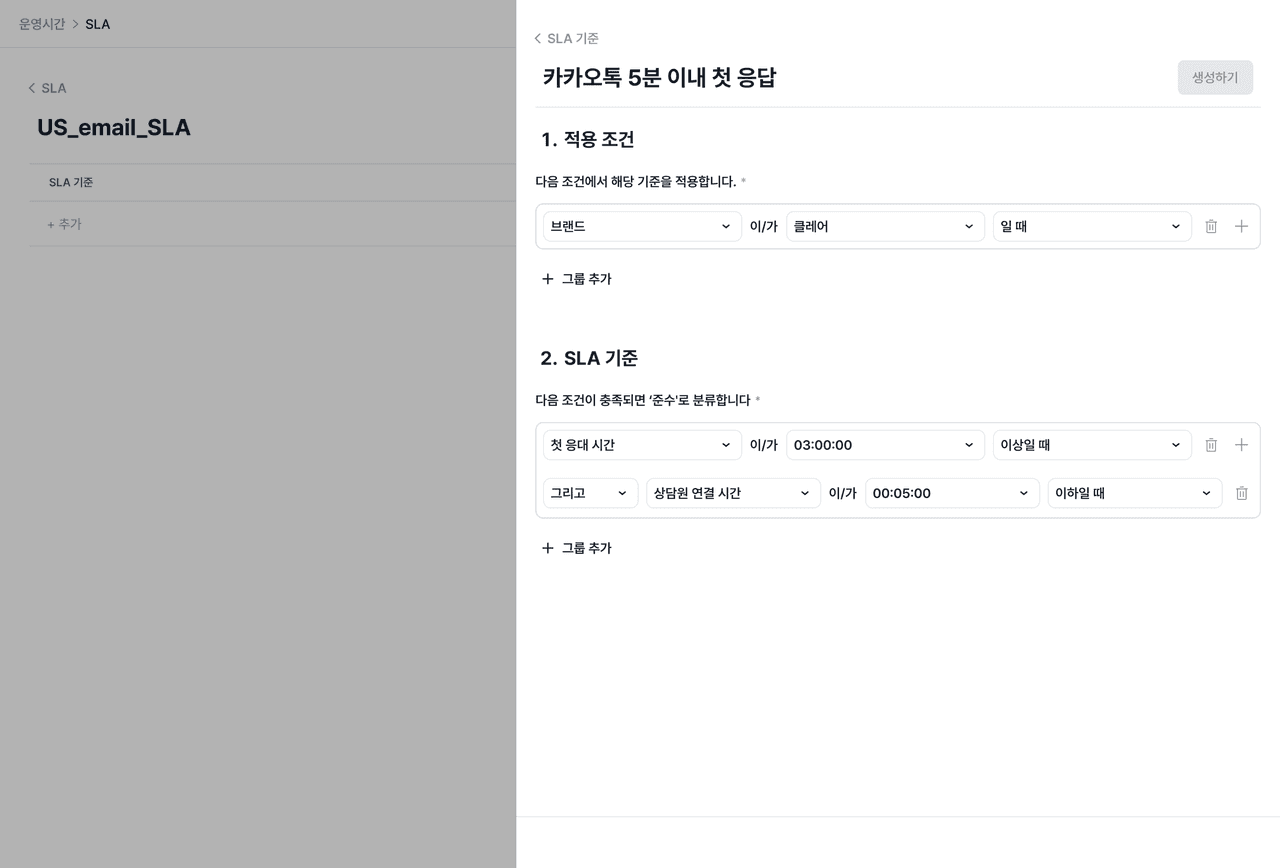
In the [Operating Hours] tab, set conditions and criteria to create an SLA rule. The rule is applied to tickets automatically, and they are classified as "compliant/non-compliant" depending on whether the criteria are met. The SLA status can be checked on various screens, such as the ticket list and support analysis reports, and can be used directly in support performance analysis.